
If you have been set up with an Admin login on Quotemonster, this means you have been given access to an adviser's Quotemonster account.
The admin license is only available to administrators, support members or paraplanners and enables you to login to the adviser's account to create/alter quotes and reports but you will be unable to amend subscription details, user or security settings. For security and compliance reasons you will have your own password and 2FA method.
When you have been set-up with an Admin login you will receive an automated email with a temporary password. You can use this to login to your Admin account using the following instructions:
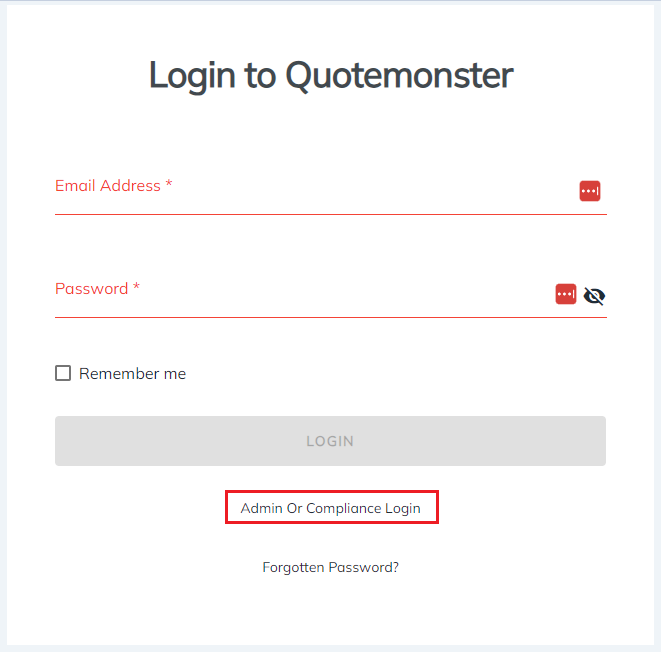
- Go to our login page https://quotemonster.co.nz/login
- Click the ‘’Admin or Compliance login’’ option
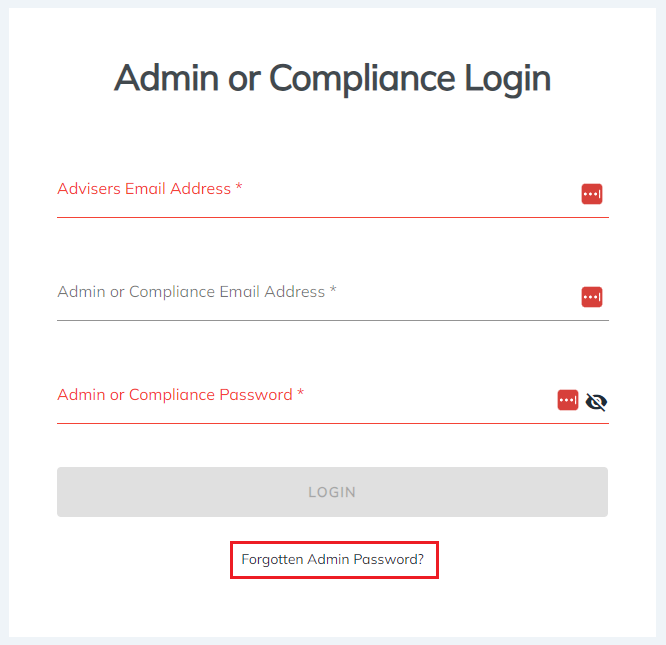
- Enter the Adviser email in the first field
- Enter your Admin email in the second field
- Enter your Admin password in the password field
If you’re unable to login, we highly recommend doing a password reset.
To do this please click Forgotten Admin Password on the Admin or Compliance Login page.
If you get an error message saying you have reached the maximum number of devices please contact us and we can assist in resetting this for you.
Please feel free to send us an online message, email the team at info@quotemonster.co.nz or call us on (09) 480 6071 if you have any further questions.
Happy Crunching!
The Quotemonster Team